

Sometimes you want advice, not attention.
Maybe you’re dealing with a workplace issue, a family problem, a health concern, or something personal that you’d rather not attach to your name. That’s where anonymous posting in Facebook groups can be incredibly useful.
Facebook introduced anonymous posting for certain groups so members can ask questions, share experiences, or seek support without revealing their identity to other members. It’s a simple feature, but many people either don’t know it exists or aren’t sure how it works.
The good news? If the group allows it, posting anonymously takes only a few taps.
Table of Contents
- What Is Anonymous Posting in a Facebook Group?
- Why People Choose to Post Anonymously
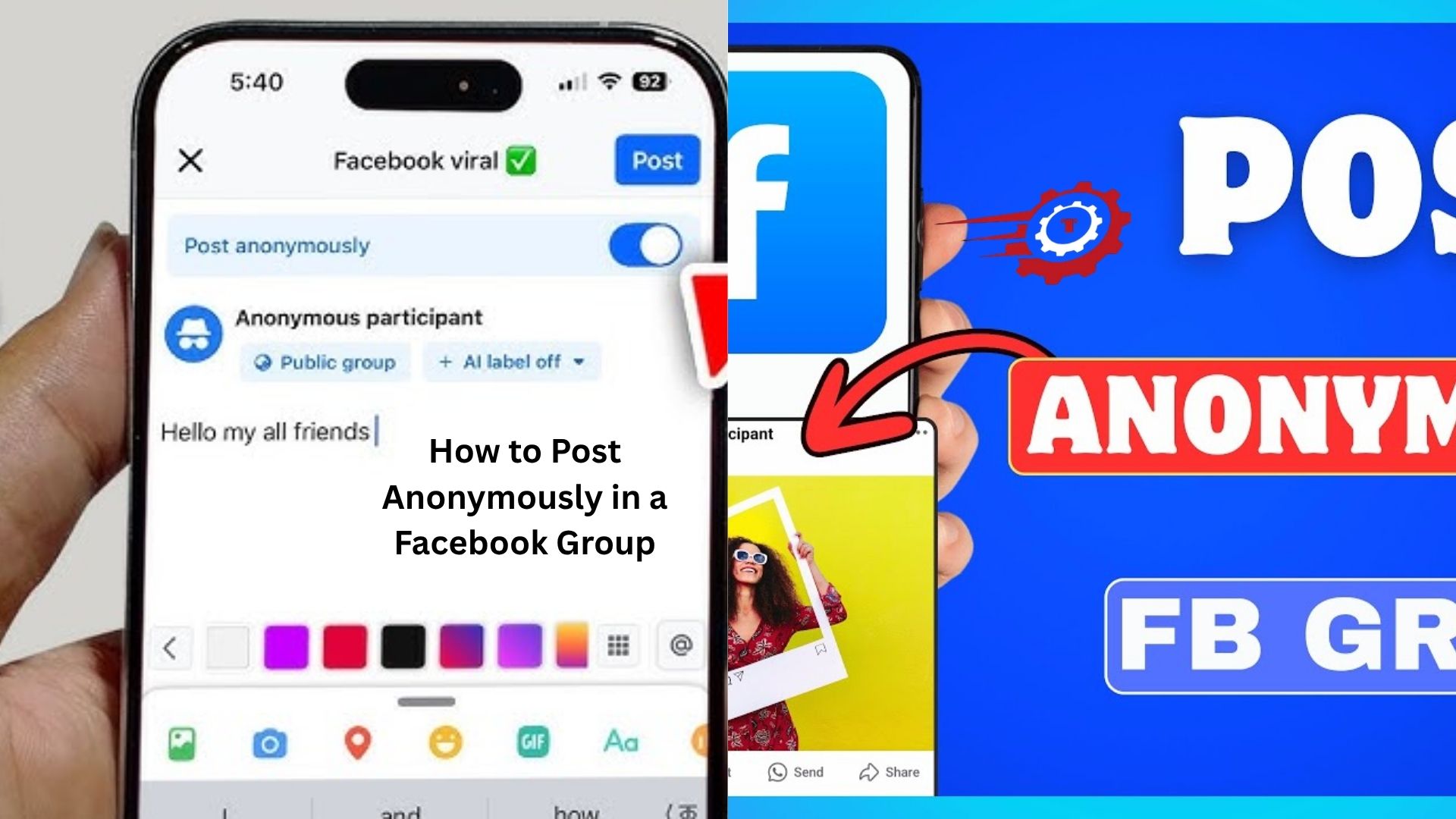
- How to Post Anonymously in a Facebook Group
- What Happens After You Submit an Anonymous Post
- Can Group Admins See Your Identity?
- Why the Anonymous Option Doesn’t Appear
- Things You Should Know Before Posting
- Common Problems and Easy Fixes
- Is Anonymous Posting Really Anonymous?
- Tips for Getting Better Responses
- Final Thoughts
What Is Anonymous Posting in a Facebook Group?
Anonymous posting is a Facebook feature that lets members create posts without showing their names to other group members.
Instead of displaying your profile name and photo, the post appears as coming from an anonymous group participant. Other members can read the content and comment normally, but they won’t know who wrote it.
Not every group offers this feature. Group administrators decide whether anonymous posting is available.
You’ll usually find it in support communities, parenting groups, health-related groups, relationship discussion groups, and other spaces where people may want extra privacy.
Here’s the thing: anonymous posting isn’t meant for hiding bad behavior. It’s designed to help people feel comfortable discussing sensitive topics.
Why People Choose to Post Anonymously
Let’s be honest. Some questions are difficult to ask publicly.
Imagine you’re part of a local community group and want advice about a conflict with a neighbor. Posting under your real name could create unnecessary tension.
Or maybe you’re in a professional networking group and need career advice after being treated unfairly at work. You may not want colleagues recognizing your situation.
Health concerns are another common reason.
Someone dealing with anxiety, fertility issues, addiction recovery, or a medical condition might feel safer asking questions anonymously rather than linking those discussions to their public profile.
The feature creates a little distance. Sometimes that’s exactly what people need to open up honestly.
How to Post Anonymously in a Facebook Group
The process is straightforward, although it can vary slightly depending on whether you’re using the Facebook app or desktop version.
First, open the Facebook group where you want to create your post.
Look for the area where you normally write a post. If anonymous posting is enabled, you’ll often see an option called Anonymous Post near the posting section.
Tap or click it.
Facebook will usually display a short explanation about how anonymous posting works. Read it carefully, then continue.
Next, write your post as you normally would. Add details, context, photos, or questions if the group allows them.
Once you’re ready, submit the post.
In many groups, anonymous posts are sent to administrators or moderators for review before they become visible. This helps prevent spam, abuse, and rule violations.
After approval, your post will appear in the group without your name attached.
From the perspective of other members, you’re simply an anonymous participant.
What Happens After You Submit an Anonymous Post
Many people assume their post goes live immediately.
That’s not always the case.
A large number of groups require moderator approval before anonymous content becomes public. Depending on how active the moderation team is, approval may take a few minutes or several hours.
Once approved, group members can interact with your post just like any other discussion.
They can:
- Comment
- React
- Share advice
- Ask follow-up questions
You’ll still receive notifications related to the conversation.
If someone comments on your anonymous post, you can usually respond while remaining anonymous within that discussion thread.
That keeps the conversation private without revealing your identity to the group.
Can Group Admins See Your Identity?
Yes.
This is probably the most important thing to understand.
While regular group members cannot see who created the post, group administrators and moderators can typically view the identity behind anonymous submissions.
Facebook does this to help groups remain safe and well-managed.
Think about it for a moment. Without moderation visibility, anonymous posting could easily be abused for harassment, scams, or harmful content.
So while your identity is hidden from most members, it isn’t hidden from the people managing the group.
If privacy is extremely important, remember that anonymous doesn’t mean invisible.
Why the Anonymous Option Doesn’t Appear
A common source of confusion is when users follow instructions but can’t find the anonymous posting button.
Several things could be causing that.
The most common reason is simple: the group doesn’t allow anonymous posts.
Administrators must enable the feature manually. If they choose not to, members won’t see the option.
Another possibility is that Facebook hasn’t made the feature available for that specific group type.
Sometimes temporary app issues can also interfere.
If the option is missing, try:
- Updating the Facebook app
- Refreshing the page
- Logging out and back in
- Checking whether the group supports anonymous posting
You may discover that the feature simply isn’t enabled.
Things You Should Know Before Posting
Anonymous posting provides privacy, but it doesn’t remove responsibility.
Facebook’s Community Standards still apply.
Group rules still apply.
Moderators can still remove content that breaks guidelines.
Before posting, take a moment to think about what you’re sharing.
Avoid including highly specific details that could identify you accidentally.
For example, saying, “I’m the only pharmacist working at Main Street Pharmacy in a town of 2,000 people” might reveal your identity even if your name isn’t shown.
People often forget that details can sometimes be more revealing than names.
A little caution goes a long way.
Common Problems and Easy Fixes
Sometimes users run into small technical issues.
One common complaint is that submitted posts remain pending for a long time.
In most cases, that simply means moderators haven’t reviewed the post yet. Larger groups receive hundreds of submissions daily, so delays happen.
Another issue is missing notifications.
If comments aren’t appearing in your notifications, check your Facebook notification settings to make sure group activity alerts are enabled.
Occasionally, anonymous posts may be declined.
This usually happens when the content violates group rules, lacks context, appears promotional, or doesn’t fit the group’s purpose.
Reading the group’s guidelines before posting can save a lot of frustration.
Is Anonymous Posting Really Anonymous?
The answer depends on how you define anonymous.
To regular members, yes.
Your profile name, profile picture, and public identity remain hidden.
To group administrators and moderators, no.
They can generally see who submitted the content.
There’s another layer worth considering.
Your writing style, specific experiences, locations, or personal details might allow friends or acquaintances to recognize you even without your name being displayed.
Imagine posting about a very specific event that only a handful of people know happened. The anonymous label won’t stop those people from connecting the dots.
Privacy improves significantly, but complete anonymity is never guaranteed.
That’s why it’s smart to share only what feels necessary.
Tips for Getting Better Responses
If you’re posting anonymously because you need help, clarity matters.
People respond best when they understand the situation.
Instead of writing a vague question like, “What should I do?” provide enough context for members to give meaningful advice.
For example, someone asking about workplace stress will likely receive better responses if they explain the circumstances, timeline, and challenges they’re facing.
At the same time, leave out unnecessary identifying information.
Balance is key.
Being respectful also helps. Groups tend to be more supportive when posts are thoughtful and sincere.
And don’t disappear after posting.
If members ask follow-up questions, engaging with them can lead to much better advice and deeper conversations.
Final Thoughts
Knowing how to post anonymously in a Facebook group can make online communities feel far more approachable.
Not every question is easy to ask under your real name. Sometimes people need a private way to seek advice, share experiences, or discuss sensitive topics without feeling exposed.
When the feature is available, the process is simple: choose the anonymous posting option, write your message, submit it, and wait for approval if required.
Just remember that anonymity has limits. Group administrators can usually see who submitted the post, and personal details can sometimes reveal more than expected.
Used thoughtfully, anonymous posting can create honest conversations that might never happen otherwise. For many Facebook users, that’s exactly what makes the feature so valuable.
